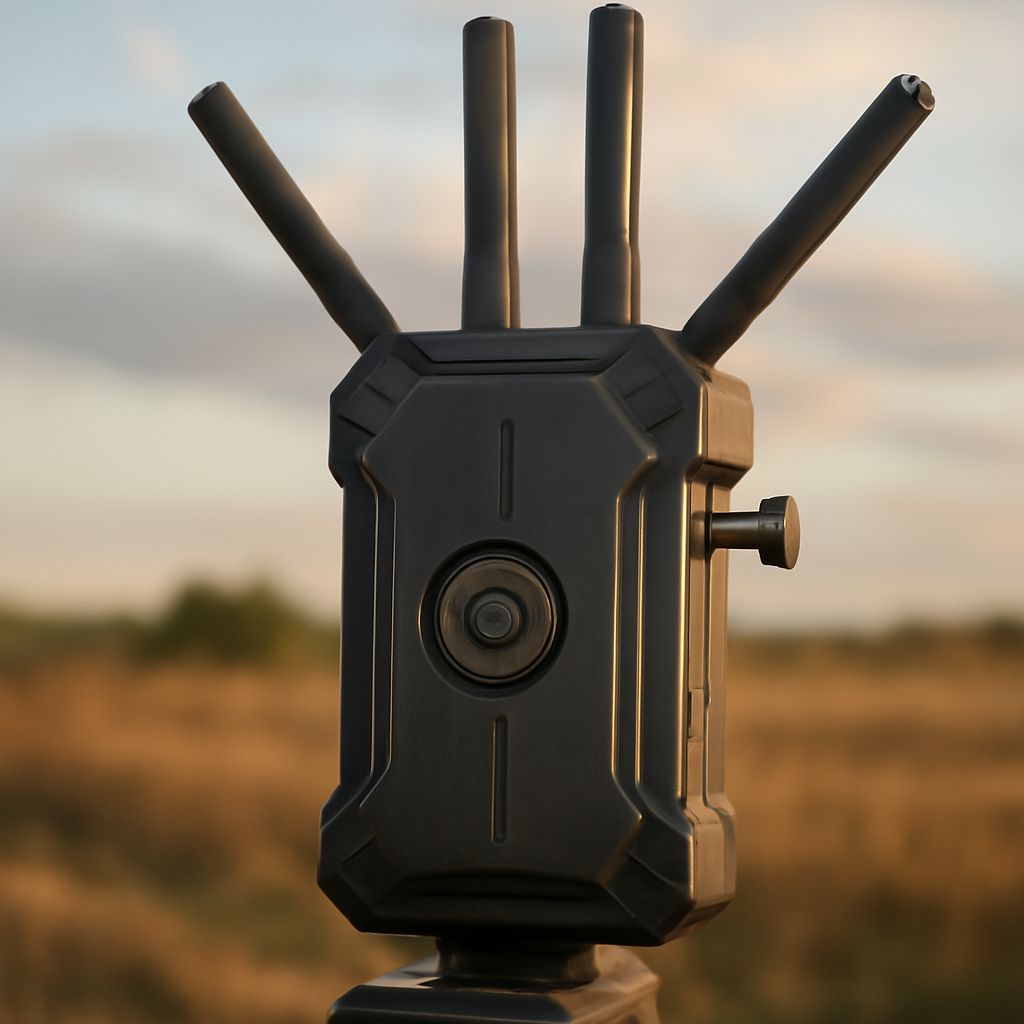
Wireless video transmitter and receiver systems allow users to stream high-definition video without the need for physical cables. By leveraging wireless protocols, these systems transmit video signals from a source—such as a camera or computer—to a display or recording device up to hundreds of feet away. Many setups rely on dedicated wireless links, while others may utilize standard Wi-Fi networks and integrate with routers or access points. Understanding the basics of wireless video technology, and how it interacts with your existing network infrastructure, is crucial for achieving smooth, high-quality video in both professional and home environments.
What is a wireless video transmitter and receiver system?
A wireless video transmitter and receiver system consists of two main components: the transmitter, which connects to a video source, and the receiver, which connects to a display or recorder. The transmitter encodes the video signal and sends it wirelessly, while the receiver decodes and outputs the video in real time. These systems eliminate the need for long HDMI or SDI cables, offering freedom and flexibility in camera placement, monitor setups, or multi-room installations.
Common examples include the Hollyland Mars 400S Pro, Teradek Bolt series, and Accsoon CineEye. These devices support various resolutions, frame rates, and transmission ranges—often between 100 and 1,500 feet (30 to 450 meters) line-of-sight. Some models use proprietary wireless protocols in the 5 GHz frequency band, while others are compatible with standard Wi-Fi, making them suitable for integration with existing networks. Wireless video transmitter and receiver systems are widely used in film production, live events, security monitoring, and home theater applications.
Most transmitters support connections via HDMI, SDI, or USB, ensuring compatibility with cameras, laptops, and gaming consoles. Receivers typically output the signal to monitors, TVs, or streaming encoders. Many wireless video systems offer features like low latency (as little as 0.1 seconds), high-definition video up to 1080p or 4K, embedded audio, and robust encryption for secure transmission.
Choosing the right system depends on your use case, preferred range, supported resolution, and required inputs/outputs. Filmmakers prioritize low latency and portability, while event organizers may need multi-receiver support or the ability to stream to mobile devices.
How do wireless video systems interact with routers and access points?
Wireless video systems either create their own dedicated wireless link or utilize existing wireless infrastructure. Systems with proprietary wireless protocols usually form a direct, point-to-point connection between the transmitter and receiver, bypassing routers and access points altogether. These are ideal for environments where interference must be minimized and reliability is critical, such as film sets or live event venues.
Other wireless video transmitter and receiver models use standard Wi-Fi protocols and interact with routers or access points. In this setup, the transmitter sends the video stream over the local network, and the receiver (or a smartphone, tablet, or computer running dedicated software) accesses the video from the same network. This approach is advantageous for setups that require video distribution to multiple devices or for remote viewing over long distances via the internet.
For example, the Accsoon CineEye 2S can connect to a Wi-Fi router, enabling several mobile devices to view the video stream simultaneously. Similarly, products like the Hollyland Mars X use standard 2.4GHz or 5GHz Wi-Fi, allowing receivers to pick up the video feed anywhere within the router’s coverage zone. Integration with routers and access points makes it easier to build scalable, flexible video transmission solutions for homes, offices, or event spaces.
When using routers and access points, network performance and stability directly impact video transmission quality. Dedicated Wi-Fi routers with strong signal and quality-of-service (QoS) features are recommended for critical applications. In contrast, direct wireless links are less susceptible to network slowdowns but may be limited in device compatibility and range.
What factors affect wireless video quality and reliability?
Several key factors influence the quality and reliability of wireless video streaming. Bandwidth is crucial: higher video resolutions and frame rates demand greater wireless bandwidth. For instance, a 1080p60 signal requires more bandwidth than 720p30. Interference from other wireless devices, such as Wi-Fi routers, Bluetooth devices, and even microwaves, can disrupt transmission, causing dropouts or reduced video quality.
Distance and line-of-sight are fundamental considerations. Wireless video transmitter and receiver systems perform best with clear, unobstructed paths between transmitter and receiver. Physical barriers such as walls, metal objects, or large crowds can attenuate the signal, limiting effective range. Some systems are designed for use in challenging environments and employ technologies like frequency hopping or beamforming to maintain stable connections.
Latency is another important aspect, especially for applications like live video monitoring, gaming, or real-time production work. Low-latency systems are vital where timing is critical, while higher-latency options may suffice for non-interactive viewing. Encryption and authentication are also significant for privacy and security, particularly in professional or sensitive settings.
Device compatibility and firmware updates can affect performance and reliability over time. Ensuring all components are updated and that transmitters and receivers are properly matched will minimize disruptions.
How can you optimize your wireless video streaming setup?
To enhance the reliability and quality of your wireless video use, start by selecting a system with the appropriate range, resolution, and transmission technology for your environment. Choose models with proven performance in similar scenarios—such as the Teradek Bolt for professional filmmaking, or the Hollyland Mars series for multi-camera event setups. Consider whether you need integration with your router and access points, or if a direct connection better suits your needs.
Position transmitters and receivers to maximize line-of-sight and minimize physical obstructions. Elevating devices and avoiding crowded frequencies can further improve stability. Most wireless video systems allow you to select or manually change channels within the 2.4GHz or 5GHz bands—choose the least congested channel for the best results.
If your system integrates with a Wi-Fi network, use a dedicated router or access point for video traffic and enable quality-of-service features to prioritize video data. Secure your network with strong passwords, and limit the number of connected devices to reduce congestion. Regularly update firmware for all devices to maintain compatibility and security.
Monitor signal strength and video quality during setup and use. Many receivers and companion apps display real-time signal and bandwidth information, helping you troubleshoot issues swiftly. If you encounter persistent interference or dropouts, experiment with relocating devices, switching frequencies, or using directional antennas. For critical events, always test your setup thoroughly and have backup cables or alternative transmission methods ready as a contingency.