A fast internet plan cannot overcome the wrong connection at the wall. Before buying a modem for WOW! service, establish whether the address uses coaxial cable or fiber. Then match the equipment’s capabilities to the service tier. A router for WOW! connects devices to the resulting internet connection, but it does not replace the cable modem or fiber terminal.
WOW router, modem, or gateway: what does each do?
A cable modem connects to the coaxial outlet and translates signals for an Ethernet connection. A router shares that connection among devices and usually provides Wi-Fi; a gateway combines modem and router functions in one device. WOW!’s equipment explanation distinguishes these from the optical network terminal, or ONT, used for fiber.
For fiber-to-the-home service, WOW!’s customer-owned equipment guidance specifies a WOW!-provided ONT. A retail cable device cannot be attached to a fiber line in its place. A separate WOW router can distribute that connection where customer routers are permitted. For cable service, the decision is whether to use provider equipment or a suitable customer-owned modem and router, separately or combined.
Phone service adds another boundary. The provider’s guideline calls for a WOW! Advanced Modem/EMTA, or a fiber terminal in fiber areas, for WOW! Phone. An ordinary internet-only cable device is not a substitute for that voice equipment.
Match the cable modem to the tier
DOCSIS is the standard used by cable modems to communicate over the cable network. Channel counts describe part of the device’s cable-side capability; Ethernet port speed limits the wired link on the home side. Both matter. The following table summarizes WOW!’s customer-owned device guideline, updated February 1, 2024, which the provider’s help center links for compatibility:
| WOW! internet tier in the 2024 guide | Cable-device capability in that guide |
|---|---|
| 600 Mbps or less | DOCSIS 3.0, 24×8 or 32×8 channels, minimum |
| 1,000 Mbps | DOCSIS 3.1 recommended |
| 1,200 or 2,000 Mbps | DOCSIS 3.1, 32×8 channels and a 2.5 GbE port required |
The WOW modem list describes equipment classes rather than named approvals. For a potentially compatible WOW! cable modem, send support the exact model, subscribed tier, and service address before purchasing.
A WOW compatible modem also has to fit the rest of the network. A 2.5-gigabit modem port connected to a router serving WOW! internet with a 1-gigabit WAN port still encounters the slower link. To test a multi-gigabit plan on one wired device, the modem, router ports where used, Ethernet cabling, and computer network adapter must all support the intended link speed. WOW!’s guideline notes that a 1-gigabit port generally delivers up to about 940 Mbps to one device in a wired test. Wi-Fi adds its own limits from signal, congestion, and client hardware.
Compare ownership with rental
A modem compatible with WOW! is only one part of the purchase calculation. A router for a WOW! connection may be separate, and activation may cost extra. If a customer buys a $150 cable modem and avoids a hypothetical $10 monthly equipment charge, the simple break-even point is 15 months: $150 ÷ $10. After 24 months, the comparison is $150 owned versus $240 rented, a $90 difference before taxes, activation fees, router cost, replacement, and support.
Those amounts are illustrations, not WOW!’s current modem price or rental rate. If the actual bill includes a required voice device or bundled service, the avoided monthly amount may be smaller or zero. Compare the charges that would actually disappear. The cost of a compatible cable modem for WOW! may be worthwhile over a long stay, while a leased unit can bundle device support with the monthly expense.
Activate and test the connection
WOW!’s self-installation instructions for customer-owned equipment say outside work must be completed first and the customer must contact support with the modem’s MAC address for activation. Record the MAC address from the device label. WOW!’s customer-owned installation guide also describes an online activation flow; follow the instructions supplied for the account and contact WOW! if activation needs assistance.
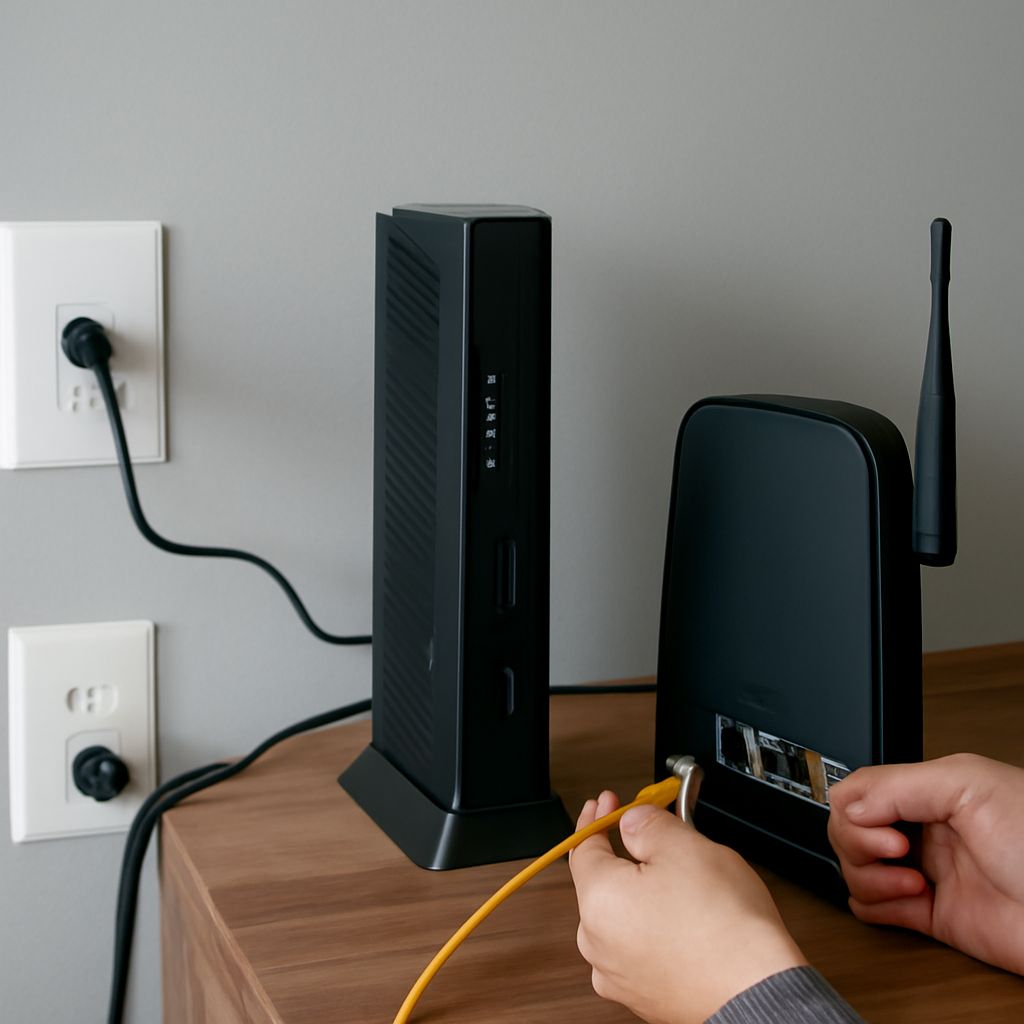
For cable, connect coax from the active outlet to the modem, attach power, and let it establish a connection. Connect the router’s WAN or internet port to the modem’s Ethernet port; connect a computer to the router for testing. In a fiber installation, retain the provider’s terminal and use the connection arrangement supplied for that service.
A WOW! modem compatibility guide helps narrow the purchase, but activation verifies that the device is provisioned on the account. If the cable device never comes online, check power and hand-tight coax connections before contacting support. If Wi-Fi is weak in one room, move the WOW! Wi-Fi router or add access points.
After activation, compare a wired speed test with the subscribed tier using a capable computer and close other transfers. If the result remains low, check the negotiated Ethernet link speed at each port first: a 1-gigabit link can cap a faster plan. Retest with a suitable cable and capable port, then give WOW! the results and the modem model for further diagnosis.